
MenuFolio Showcase Templates
A menu your guests can actually use on their phone: find a dish, check the allergens, and order in a few taps, in a style that matches your restaurant.
MenuFolio is a self-initiated concept. The four restaurants (Olive & Oak, FORM / kitchen, The Good Stuff and Maison Éclat), their dishes, prices, ratings and addresses are made up, and the checkout is simulated: no order is sent and no payment is taken. The interface, the cart, the price calculation and the order flow all work for real. On a real project the sample content is replaced with your own, and nothing is shown that isn't true.
- My role
- Design, development & SEO
- Client
- MenuFolio (self-initiated concept)
- Year
- 2026
- Timeline
- Scoped and timed with you before I write any code; this demo is a ready-made starting point
Overview
The project in a nutshell
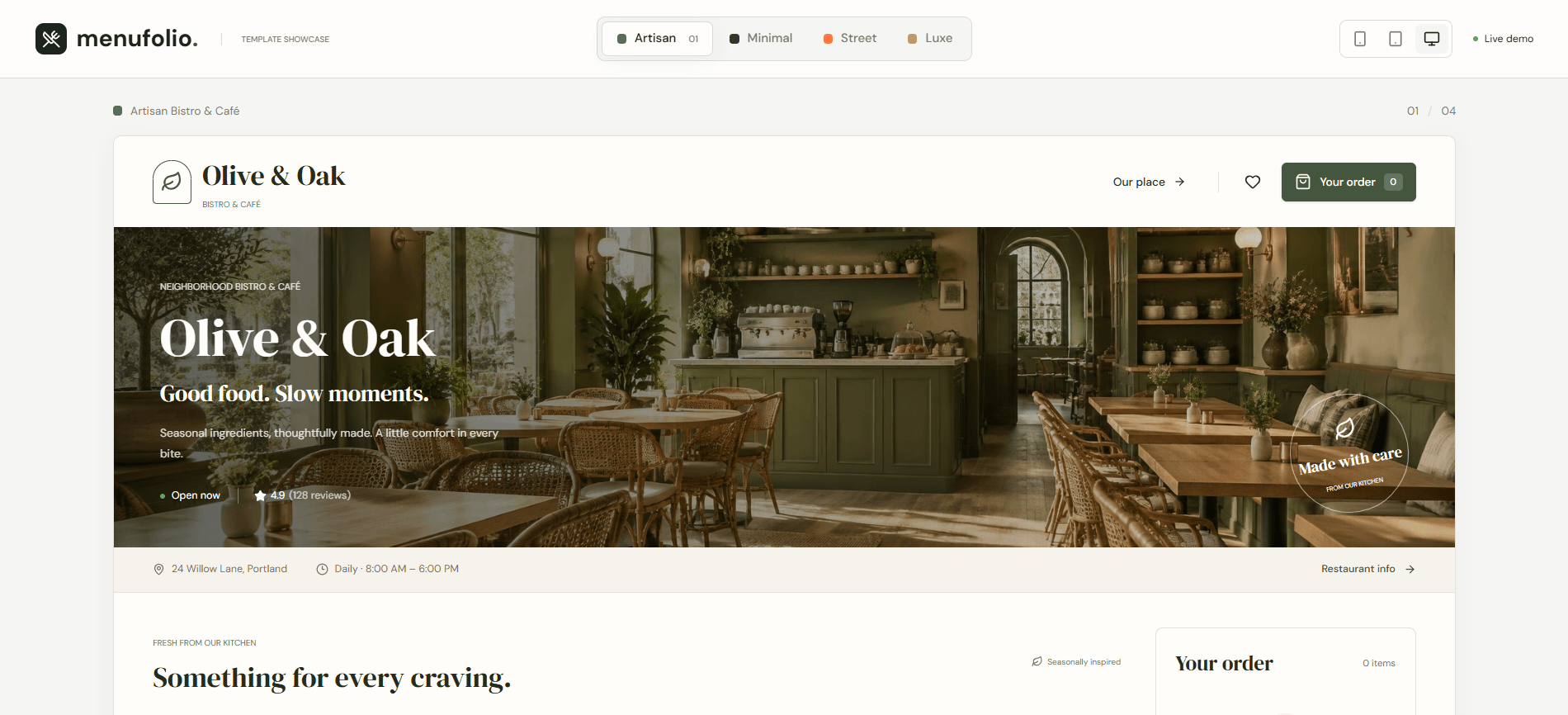
A guest sitting at a table, or standing outside on the pavement, decides in seconds whether your menu is easy or annoying. A PDF that has to be pinched and zoomed, prices that are out of date, no word on allergens: each one sends a question to your staff, or a customer to the next place. I built MenuFolio to show what a better menu can look like for a café or restaurant. It is a complete, working site, not a mockup: open the live demo on your phone, switch between four restaurant styles, filter the dishes, open one, add it to the order and walk through checkout. Every screen answers something a guest silently asks: What do you serve? Is there something for me? What is in it? What does it cost? How do I order?
The challenge
Most small restaurants run on a printed menu, a PDF or an Instagram page. Prices change and the PDF doesn't. Vegetarian guests and people with allergies have to ask. Orders arrive by phone call, WhatsApp or DM, and each one is typed out by hand. Meanwhile a ready-made food-delivery app takes a large cut and puts your competitors one swipe away. Your own menu needs to be as easy as those apps, and still be yours.
My solution
One fast, mobile-first menu that follows how a hungry guest thinks: a first screen that says who you are and when you are open, dishes you can filter and search, the details that matter on every dish, then a simple cart and an order flow for delivery, pickup or dining in. The same menu comes in four visual styles (cozy café, clean minimal, bold street food, elegant fine dining) so the look can match your brand, not the other way round.
What I built
Key features
Find a dish in seconds
Category tabs, live search and dietary filters (Vegetarian, Vegan, Gluten-Free, Chef’s Special) narrow the menu as the guest types. Hearts let them save favorites and view only those. Nobody scrolls through a long list to find the one thing they can eat.
Four styles, one menu
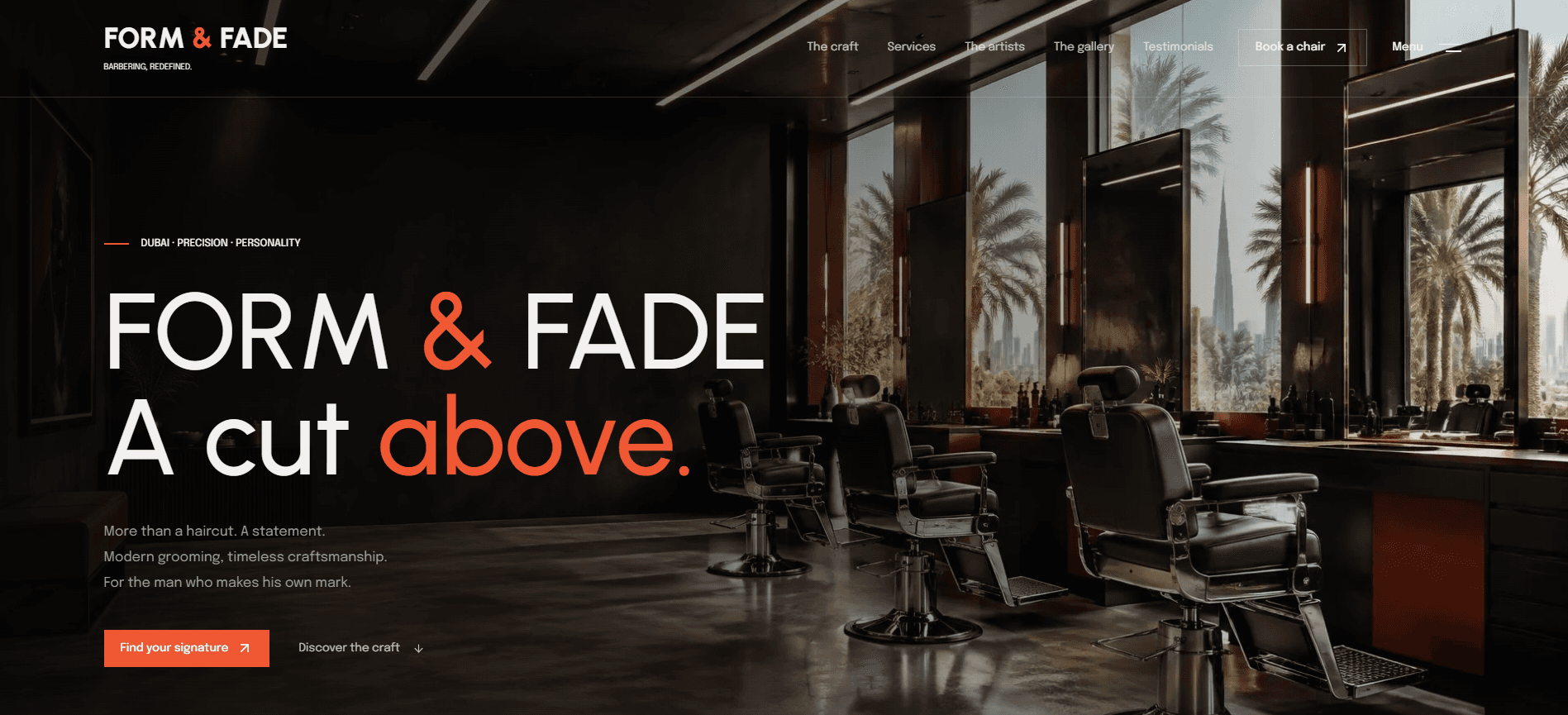
Artisan café, Modern minimal, Urban street and Luxe fine dining: the same dishes in four complete designs with their own colors, typography and tone. You can switch styles and preview mobile, tablet and desktop right in the demo, so choosing a look is easy.
Answers before anyone has to ask
Every dish opens to a photo, description, ingredients and allergens, with dietary labels on the card. Sold-out dishes are clearly marked and can’t be ordered, and the fine-dining style adds wine pairings. Fewer questions for your staff, and safer choices for your guests.
A cart that never gets the math wrong
Guests change quantities, remove items and see subtotal, tax and total update instantly. Prices are handled as exact whole cents, never as floating-point decimals, so a total on screen is always the total on the receipt.
Checkout that fits how you work
Delivery, pickup or dine-in with a table number. Pay online, pay at the counter or send a card-to-card transfer with a reference number. Every field is checked with a clear message, and the guest finishes with a ticket number, a QR code and a downloadable receipt. In the demo this is simulated; on a real project we choose together how orders reach you.
Fast, accessible and found
The page is prepared on the server so it appears immediately, images load in modern formats at the right size, fonts come from the site itself and the ordering step loads only when needed. Dialogs work with a keyboard, animations respect reduced-motion settings, and the page carries titles, descriptions, a social preview image and a sitemap for search engines.
The guest’s path
From Google Maps to “my order is in”
This is what the menu is designed around. Each step removes one reason for a guest to hesitate, ask a question or leave.
- 01
They find you and tap “Menu”
Someone searches for a place to eat, scans the QR code on a table or taps the link in your Instagram bio. The page they land on should feel like the same place they just saw, not like a generic app.
- 02
The first screen says who you are
Name, tagline, opening hours, address and whether you are open now appear immediately on any phone, with no popups and no waiting.
- 03
They find something for them
Categories, search and dietary filters turn a long menu into a short list. A vegan guest taps Vegan and sees only what they can eat.
- 04
They check what matters
Price, ingredients and allergens are one tap away on every dish, and sold-out items are marked honestly instead of disappearing at the till.
- 05
They order in a few taps
Add to the cart, choose delivery, pickup or dine-in, pick how to pay and get a ticket with a QR code. The guest knows the order is in, and you get it without a phone call.
Screens
Project gallery
Tap any image to view it full size.
On a real project
What your restaurant would get
- Your real name, logo, address, hours, phone and menu in place of the sample restaurants
- A style chosen to fit your brand (café, minimal, street or fine dining), or adapted to your colors and fonts
- Your own dish photos, descriptions, prices and allergen information, with sold-out status you control
- Dishes, prices and opening hours you can change without touching code, or I change them for you
- Orders that reach you the way you already work: by email or WhatsApp, or a link to the ordering tool you already use
- Online payment through a provider you choose, only if you want it. Pay at the counter always remains possible
- A QR code for tables, windows and flyers that opens your menu, plus a link for your Google Business Profile and Instagram
- Structured data so search engines can read your name, address, hours and cuisine, matching your Google Business Profile exactly
- Full ownership of the source code and every asset, plus support after launch
Before you decide
Questions a restaurant owner usually asks
Is anything in this demo real?
The website is real and fully working. The restaurants are not. Their names, dishes, prices, hours, addresses and star ratings are samples, and the page says so. The checkout is simulated: nothing is sent to a kitchen and no card is charged. The card number in the transfer step is a well-known sample number, never a real account. Your site would only ever show your real dishes, your real reviews and your real details.
Will this get me more orders?
I can’t promise a number, and nobody honest can. What it does is remove friction: guests find what they want quickly, trust what they see because prices and allergens are right there, and can order without calling. It also gives you a menu you control instead of paying a platform’s commission on every order. Your Google Maps ranking mostly depends on your Business Profile, so if anyone guarantees you the first position, be careful.
Can I update dishes and prices myself?
Yes. Your menu lives in one place, so changing a price, marking a dish as sold out or adding a seasonal special is a small edit. If you would rather not touch anything, send me the change and I’ll make it.
How would orders actually reach me?
We choose that together at the start. The simplest options are an email or a WhatsApp message for each order, or a link to a tool you already use. Online payment is possible through a payment provider you choose, but it is optional and never forced on you. Pay at the counter always remains possible.
Do I have to pick one of the four styles?
No. They are starting points. We can keep one as it is, change its colors, fonts and photos to match your brand, or build a different look from your logo or Figma design. You can try all four in the demo before you decide.
I already use delivery apps and a printed menu. Do I need more?
Delivery apps are where some customers discover you. Your own menu is where you keep the relationship and the margin. It links back to your Instagram, your Google listing and, if you want, your delivery apps instead of replacing them. A QR code can also turn your printed menu into the live one.
What happens first, and how do I know what I’m paying for?
We start with a short written conversation about your place and how orders reach you today. You then get a clear scope, timeline and price before I write any code, and a working preview early, so you can react to something real. You only move forward if you like what you see. You own the result: on delivery the source code and all project assets are yours.
Run a café or restaurant?
Send me the link to your Google Maps listing or Instagram page. I’ll look at what a guest sees when they try to find your menu and order, and tell you what I would change, honestly and with no pressure.
© 2026 Ali Afarinifard. All rights reserved.